
The 100k token context cost for a document-heavy AI agent is the input charge for 100,000 tokens plus the charge for the model’s output, multiplied by every scheduled run and retry. At current standard API rates verified October 17, 2026, the worked workload below costs about $0.22 to $0.28 per completed run before retries.
That per-run number looks small. The risk shows up when a manual test becomes five unattended runs per day, a second agent is added, or failed calls are retried. Before turning that workflow loose, define the workload and give it a monthly ceiling. The existing LLM cost control workflow covers the broader tracking setup; this guide stays on one decision: whether a 100K-input document job fits the launch budget.
Key takeaways
- A 100K-token input is only one part of the bill. Output tokens, run frequency, agent count, and retries all belong in the estimate.
- With 100,000 input tokens and a 2,000-token output allowance, Claude Sonnet 5.5 costs about $0.22 per run and GPT-5.4 costs about $0.28 per run at the standard rates checked October 17, 2026.
- Five runs per day turns those examples into about $33 or $42 per 30-day month for one agent, before retries.
- A 20% retry assumption raises 150 planned monthly runs to 180 billable attempts.
- The launch decision should use a hard ceiling for input size, output, daily runs, agent count, retry allowance, and monthly spend.
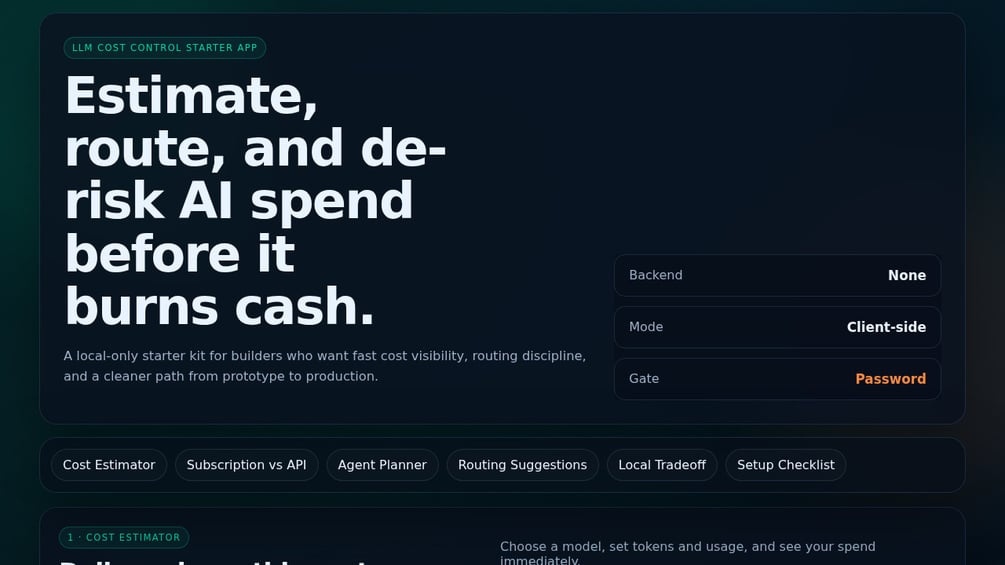
If you want a reusable place to enter those limits, the LLM Cost Control Starter App accepts editable token rates and workload assumptions. It is a planning tool, not a live billing monitor or an automatic spending lock.
What is the 100k token context cost for one document-heavy run?
For a run with 100,000 uncached input tokens and 2,000 output tokens, multiply each token count by its model rate per million tokens, then add the two charges. Using the current standard rates below, one run is about $0.22 on Claude Sonnet 5.5 or $0.28 on GPT-5.4.
The formula is simple:
Cost per run = (input tokens / 1,000,000 × input rate)
             + (output tokens / 1,000,000 × output rate)
This article uses a fixed 2,000-token output allowance so the examples stay comparable. That is an assumption for planning, not a claim about what every document assistant will produce. Your real output cap should match the job: a short contract risk summary may need far fewer tokens than a structured comparison of several manuals.
Rates used in the worked examples
The rates below were checked on October 17, 2026, against the official Anthropic pricing page and the official GPT-5.4 model page. They are standard uncached text-token rates, before any regional, batch, fast-processing, caching, or tool-call adjustments.
| Model SKU | Input per 1M tokens | Output per 1M tokens | 100K input + 2K output |
|---|---|---|---|
| Claude Sonnet 5.5 | $2.00 | $10.00 | $0.22 |
| GPT-5.4 | $2.50 | $15.00 | $0.28 |
Here is the Claude Sonnet 5.5 calculation:
Input:  100,000 / 1,000,000 × $2.00  = $0.20
Output:   2,000 / 1,000,000 × $10.00 = $0.02
Total per run                            = $0.22
And the GPT-5.4 calculation:
Input:  100,000 / 1,000,000 × $2.50  = $0.25
Output:   2,000 / 1,000,000 × $15.00 = $0.03
Total per run                            = $0.28
These examples answer the budget question; they do not answer which model produces the better result. Quality has to be tested against the actual document set and output standard. A lower estimated bill is not useful if the workflow misses required facts or creates more review work.
How does a $0.22 run become a meaningful monthly expense?
Frequency does the damage quietly. A pilot might run once while someone watches it. An unattended workflow may run several times a day, every day, whether the output is useful or not.
| Planned volume | Runs per 30-day month | Claude Sonnet 5.5 | GPT-5.4 |
|---|---|---|---|
| 1 run per day, 1 agent | 30 | $6.60 | $8.40 |
| 5 runs per day, 1 agent | 150 | $33.00 | $42.00 |
| 10 runs per day, 1 agent | 300 | $66.00 | $84.00 |
| 5 runs per day, 3 agents | 450 | $99.00 | $126.00 |
Every row holds the payload at 100,000 input tokens and the output allowance at 2,000 tokens. That makes the multiplier visible. The three-agent row does not assume that a small team needs three agents. It shows what happens if the same workload is copied into separate research, analysis, and reporting jobs without a fresh budget check.
This is why scope comes before automation. The AI Agent Build Blueprint guide explains how to define an agent’s scope, state, and handoffs. For this calculation, the important part is the boundary: one run has a defined input allowance, a defined output cap, and a defined reason to execute.
What makes a 100K-token budget drift after launch?
A clean spreadsheet row assumes every run looks the same. Production rarely stays that tidy. Four changes can push the bill above the baseline without any change to the advertised context window.
Conversation history keeps growing
If each turn resends earlier messages, the fifth request may carry far more input than the first. A workflow that began with a 100K document payload can exceed that assumption after it adds instructions, prior answers, tool results, and corrections. Budget the request that will actually be sent, not just the source document.
The same material is repeated in several places
System instructions, document excerpts, examples, and formatting rules can overlap. Repetition may be deliberate, but it still counts toward input. Audit the assembled request before launch. If the same policy appears in the system prompt, the retrieved context, and the user template, the budget should reflect all three copies unless one can be removed.
Outputs are allowed to run long
Output tokens usually cost more than input tokens in the two examples above. The 2,000-token allowance contributes only $0.02 to the Claude example and $0.03 to the OpenAI example, but a loose output cap can change that. At 10,000 output tokens, the same run becomes $0.30 on Claude Sonnet 5.5 and $0.40 on GPT-5.4.
Retries are treated as free
A retry is another request. If it resends the full 100K input, it can cost roughly the same as the first attempt. For the five-runs-per-day baseline, a 20% retry assumption changes 150 planned runs into 180 billable attempts:
- Claude Sonnet 5.5: 180 × $0.22 = $39.60 per month.
- GPT-5.4: 180 × $0.28 = $50.40 per month.
This treats 20% as a planning allowance, not an observed failure rate. Replace it with evidence from your own tests when that evidence exists. Until then, a visible assumption is better than pretending retries will never happen.
How do you set a go-or-no-go ceiling before unattended runs?
Write the ceiling as a short operating rule. If any variable is missing, the workflow is not ready for unattended execution.
- Maximum input per attempt: Set a hard planning limit, such as 100,000 input tokens. Decide what happens when the assembled request exceeds it.
- Maximum output per attempt: Set the output allowance used in the budget. Do not rely on a vague request to “be concise.”
- Allowed runs per day: Count scheduled runs, user-triggered runs, and any maintenance or reprocessing jobs.
- Agent count: Multiply by every independent worker that can submit the workload.
- Retry allowance: Add a percentage or fixed number of extra attempts. State it plainly.
- Monthly budget threshold: Choose the dollar amount that stops launch or sends the design back for revision.
Here is a concrete launch rule for the worked example:
Launch one agent only if each attempt stays at or below 100,000 input tokens and 2,000 output tokens, scheduled volume stays at or below five runs per day, the plan includes a 20% retry allowance, and the monthly estimate remains below $50.
Under those assumptions, Claude Sonnet 5.5 clears the example ceiling at $39.60. GPT-5.4 comes out at $50.40, so it misses by forty cents. That does not make one model “better.” It means this particular workload, rate, and ceiling need another decision: trim the payload, reduce runs, lower the retry allowance only if testing supports it, raise the budget, or test a different suitable model.
A cost estimate is one control layer. The broader AI agent cost and margin guide covers why monitoring and business economics still matter after launch.
When should you reduce the context payload?
Reduce the payload when part of the 100K input is present for convenience rather than because the model needs it to answer the current request. Keep the full workload when removing material would break the task and the full cost remains inside the approved ceiling.
Ask these questions before cutting anything:
- Which documents contain facts required for this exact output?
- Which files are included only because they might be useful?
- Are old conversation turns still needed, or are they being carried forward by default?
- Can repeated instructions be stated once without changing the task?
- Does the output need full quotations, or will references to the source sections do?
Do not shrink context just to make a spreadsheet green. A document assistant that omits the governing contract clause or the current SOP is cheaper and less useful. The right target is the smallest complete payload for the job, not the smallest possible request.
The reverse is also true. A model may advertise a large context window, but that does not mean every run should fill it. Capacity is not a spending plan. If the workflow only needs three relevant documents, sending the whole archive adds cost and makes the request harder to audit.
How do you model this in the LLM Cost Control Starter App?
The LLM Cost Control Starter App has two useful views for this decision. Use the estimator for dollar calculations and the agent planner for a separate context-and-retry pressure check.
Enter the dollar estimate
- Enter 100,000 input tokens per run.
- Enter the planned output allowance, such as 2,000 tokens.
- Enter runs per day and the number of agents.
- Replace any preset with the current official input and output rates for the exact model SKU.
- Review the daily, monthly, and per-agent estimates.
The editable rates matter because the bundled fallback presets can age. The app package’s fallback rate data is dated May 29, 2026, so it should not be treated as the current rate card. The October examples in this article use freshly checked official rates instead.
Check context and retry pressure separately
The planner accepts average context size, calls per day, agent count, retry rate, memory reads, and model tier. That view produces a pressure score. It does not convert retries into a provider invoice, enforce a monthly cap, or judge answer quality. Use it to expose a risky workload shape, then use the estimator or your own sheet for the dollar calculation.
The app also does not connect to live provider billing. After launch, compare estimates with actual usage and invoices. A planning estimate can approve a sensible starting point; it cannot prove that production behavior stayed inside the plan.
Who should skip this planning app?
Skip it if you only use a flat-rate consumer chat subscription and do not have a defined API workload. The per-token estimator is built for usage-priced requests, not for deciding whether a monthly chat plan is worth it.
Skip it if the workload is still “some documents, a few times a day.” Define the input, output, frequency, and retry assumptions first. A calculator cannot repair an undefined job.
Teams with production billing telemetry, tested alerting, and enforced provider budgets may already have stronger controls. They may still use a quick pre-launch estimate, but they do not need a starter app to replace systems they already operate.
Use it if you are a solo builder or small team moving from manual tests to recurring API calls and you need the assumptions in one place before switching the schedule on. That is the gap it is meant to fill.
The launch decision
The clean answer is not “100K tokens costs X.” It is “this defined 100K workload costs X per attempt, Y at planned monthly volume, and Z after the retry allowance.” Write all three numbers down before launch.
Then put a stop condition beside them. If the payload, schedule, agent count, or retry rate breaks the ceiling, revise the plan before the workflow becomes background noise on a credit card. Once it is running, connect that budget to an AI agent observability setup that can show what actually happened.
About the author: Chris Myers writes about AI systems and practical solopreneur operations at Piscion Global.
If you need a local calculator for the pre-launch pass, use the LLM Cost Control Starter App to model your own launch ceiling. Enter current official rates, keep the assumptions visible, and treat the result as a plan to verify against real billing after launch.