
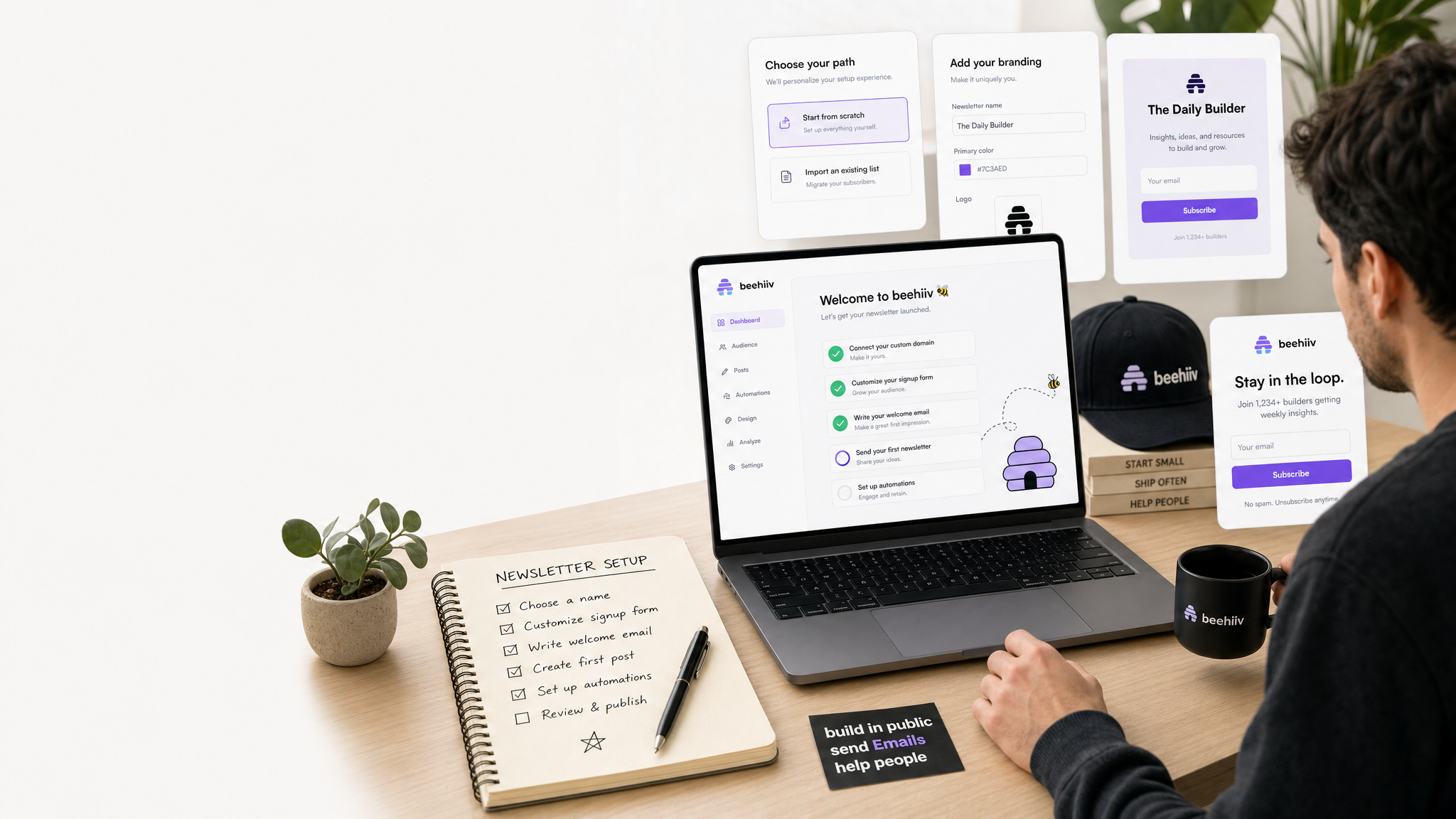
Beehiiv Setup Guide for Solopreneurs Who Want a Simple Newsletter Stack
If you’re researching beehiiv setup guide, this breakdown covers what actually matters for a solo operator.
I like setup guides that respect the fact that most of us are doing this after work. I am not trying to build a giant media machine on day one. I just want a newsletter that works without eating my night.
That is why a beehiiv setup guide needs to stay practical. If you are starting from zero, the fastest path is to get the account live, keep the settings simple, and send something real before you obsess over growth. I started with beehiiv because the free plan lets you test the platform without a hard commit.
If you are reading this because you want a clean start, this is the order I would follow. It is not fancy, but it keeps you from wasting time on the wrong details.
Beehiiv Setup Guide: Start with the free plan and the right goal
The first decision is whether you actually need a paid plan yet. beehiiv has a free plan, and that matters because it gives you room to learn the tool before you spend money on it. The paid plans start at $49 per month, so I would not jump there unless I already had a clear reason.
My goal would be simple: send a first newsletter, collect the first subscribers, and build a repeatable workflow. That is enough for week one. Do not try to build the final version of the system before you know the system is useful.
Set up the basics before you chase growth
When I set up any newsletter tool, I want the boring stuff finished first. That means the name, the brand look, the sender details, and whatever basic defaults the platform asks for. If those pieces are messy, the rest of the setup will feel off too.
I would also keep the tone plain at the start. People do not subscribe because the dashboard is pretty. They subscribe because the topic is useful and the promise is clear. If you want a place to sanity-check the content later, a newsletter onboarding checklist is the kind of resource I would keep handy.
Build your first signup path
The signup path should be the simplest path on the site. I would set up one clear form, one clear call to action, and one clear reason for someone to subscribe. That is enough. You can always add a second form later if the first one works.
My rule is to avoid extra steps until I know the first step converts. A lot of solopreneurs overbuild this part because it feels productive. It is usually just a distraction.
Beehiiv Setup Guide is worth understanding before you commit to any newsletter stack.
Write and send the first issue
The first issue should be small and real. I would rather send a simple note with a useful observation than wait two weeks to publish something perfect. The platform does not matter if the writing never leaves the draft folder.
Use the first issue to confirm the workflow, not to prove your brilliance. That means checking the send process, looking at the layout on mobile, and making sure the basics are readable. Once you have one clean send, the rest gets easier.
I would also keep the subject line short enough that it does not look like a sales email. This is a newsletter, not a funnel script. The reader should know what they are getting.
Decide what to track each week
You do not need a giant report. You need a few numbers you will actually look at. For me, that means subscriber count, open rate, and whether people clicked anything useful.
The point of tracking is not to build a dashboard trophy. It is to help you decide what to do next. If a topic gets more attention than the others, write more of that. If a send flops, look at the subject line and the angle before you blame the platform.
Pricing and partner terms
The official pricing page is here: https://www.beehiiv.com/pricing. The key facts are the ones I would want in my head before I start: there is a free plan, and paid plans start at $49 per month.
The partner page is here: https://www.beehiiv.com/partners. The current public terms advertise up to 60% commissions for 12 months, with monthly PayPal payouts around the 15th.
That does not change how I would set up the account, but it does matter if you are writing about the tool or recommending it. Those facts belong in the plan, not in the fine print.
What I would do next
After the setup is live, I would stop touching the settings and start publishing. That is the hard part for most of us. The tool can be ready long before the habit is.
A simple first-week launch plan
If I were starting from scratch, I would give myself one week to get the basics moving. Day one would be account setup and brand cleanup. Day two would be the first signup form. Day three would be the first draft. Day four would be the first send. Day five would be a quick review of what felt clunky.
For a solo newsletter operator, beehiiv setup guide is the question worth spending time on before you pick a platform.
That is one reason beehiiv setup guide keeps coming up in these conversations.
That schedule works because it keeps momentum in the right order. You do not need to perfect the system before the first issue. You need the first issue so you can see where the system breaks.
I would keep the launch narrow on purpose:
– one signup path
– one simple welcome message if needed
– one first issue
– one place to review the basics
– one decision at the end of the week: keep going or adjust
The reason I like that approach is that it respects the real work. Most solopreneurs do not need a big onboarding funnel on day one. They need a newsletter that can survive a normal week.
I would also avoid trying to make the content strategy perfect before the first send. The first few issues are mostly about learning what sounds natural in your own voice and what kind of subject lines get a response. That is the useful part of setup.
If the first week goes well, the next step is simple: keep publishing on the same day each week for a month. That gives you a real read on the tool, not just a first impression.
And if the first week feels awkward, I would not blame the platform too fast. I would check whether the problem is the tool, the topic, or the fact that I am trying to do too much at once.
What I would fix after the first month
After the first month, I would stop treating the setup like a launch and start treating it like a routine. That means looking for the parts that slowed me down and fixing only those parts.
If the form was awkward, I would simplify the signup path. If the draft process took too long, I would make the newsletter structure smaller. If I was obsessing over metrics, I would narrow the list of numbers I look at.
I would also check whether the work still matched the size of the audience. A brand-new list does not need the same level of attention as a list that is already driving business. The tool should scale with the work, not turn every stage into a bigger project than it needs to be.
For a solo operator, beehiiv setup guide is the comparison that tends to matter most.
The reason I like beehiiv in this context is that the free plan lets me learn the workflow before I make it expensive. That is useful. It keeps me honest about whether I really need more features or whether I just want the feeling of progress.
If I were helping a friend set it up, I would tell them to ignore the urge to keep refining the backend and focus on the next three sends. That is where the value shows up.
I would also remind them that the newsletter itself is the product. The platform matters, but the writing habit matters more. When the tool makes the habit easier, it is doing its job. When it distracts from the habit, it is not.
One last thing I would keep in mind is that setup is not success. A clean account with no issues sent is still just an empty shell. The first useful milestone is not the dashboard. It is the first issue that reaches a real reader and gives you something to learn from.
That is the moment the tool starts earning its keep.
That is what I would call a real setup win.
If you want a clean path, the order is simple: open the account, keep the setup light, send the first issue, and review only the handful of numbers that help you decide what comes next.
If you want to try it yourself, beehiiv’s free plan covers up to 2,500 subscribers — plenty of runway before you pay anything.
For the full breakdown on beehiiv pricing and what the partner program actually pays, here is the cost-value breakdown.
Disclosure: If you use my link, I do get a commission. The price is the same to you either way, and I only recommend things I think fit the use case.