
The Real Cost of Running AI Agents — and How to Keep It from Eating Your Margins
The first time I ran an agent against a real workload instead of a few test prompts, the bill didn’t match my mental math at all. I’d priced it like the model’s published rate times the number of jobs. The actual number was higher, and it took me a while to see why. If you’re running agents for clients, ai agent cost control isn’t a nice-to-have — it’s the difference between a service that makes money and one that quietly loses it while looking busy. The model price is the part everyone sees. The rest is where the margin goes.
Here’s what running these things actually costs, and the handful of habits that keep the cost from outrunning what the client pays you.
The Model Price Is the Smallest Line on the Bill
When people estimate cost, they look at the per-token rate on the OpenAI pricing page and multiply. That’s the floor, not the bill. The real cost comes from three things nobody puts in the estimate.
First, retries. Agents fail and retry, and every retry is a fresh call you pay for. A flaky integration can double your token spend without changing the output. Second, context bloat. It’s easy to stuff the whole conversation history and every document into every call “just in case,” and you pay for all of it on every single step. Third — and this is the one that’s invisible on any invoice — your time watching it. The hours you spend checking whether it’s working are a real cost, they just land on you instead of the API bill.
Per-Job Cost Is the Only Number That Matters
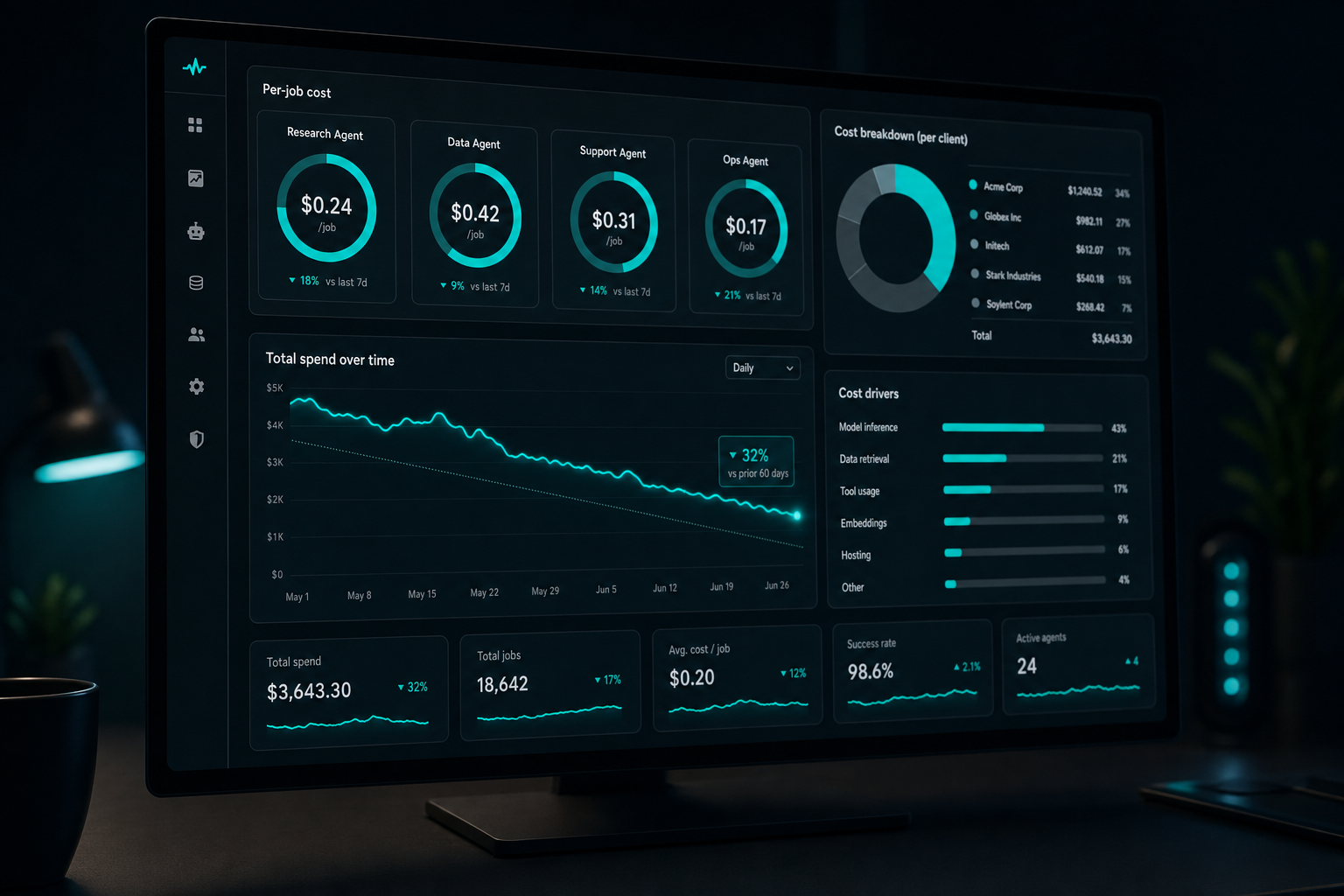
A monthly total tells you nothing useful. The number that matters for ai agent cost control is cost per job — what it costs to handle one lead, one document, one ticket. Once you know that, you can price the client correctly and spot the moment a job gets too expensive to be worth automating. Without it, you’re flying blind and finding out at the end of the month.
This is exactly why I built the kind of stack I described in building an agentic stack for a client with logging baked in from the start. You can’t control a cost you don’t measure, and per-job measurement has to be there from day one, not bolted on after the surprise bill.
The Cheap Mistakes That Inflate the Bill
Most runaway agent costs come from a few avoidable habits. Sending every job to the biggest, most expensive model when a smaller one would do. Never setting a hard spend cap, so a runaway loop can burn a month’s budget overnight. Re-sending the same reference document on every call instead of caching it. Letting an agent “think out loud” across ten steps when two would land the same result.
None of these are exotic. They’re the defaults, which is the problem — the path of least resistance is also the expensive one. Real ai agent cost control is mostly just refusing the lazy default: route the cheap jobs to cheap models, cap the spend, cache what repeats, and trim the steps.
A concrete example from my own setup: I had a classification step that was sending the full email thread to a top-tier model to decide one thing — is this a lead or not. Swapping it to a small model and trimming the input to the last message cut that step’s cost by more than half, with no drop in accuracy. One step. That’s the texture of ai agent cost control in practice — not a grand strategy, just a stack of small, boring decisions that each shave a little off the per-job number until the margin is real again.
Building the AI Agent Cost Control Habit Without a Spreadsheet
You can do all of this by hand. I did, for a while, with a spreadsheet and a lot of squinting. It works until you have more than one client and the squinting stops scaling. That’s the gap the LLM Cost Control Starter App fills — it tracks per-job and per-client spend so you can actually see the number that matters instead of reconstructing it from a raw API export at midnight.
I’m not going to pretend it’s magic. It’s a focused tool that does one thing: makes your real running cost visible so you can act on it. For a freelancer doing llm cost management across a couple of clients, that visibility is most of the battle. If you want to see exactly how it works before deciding, I did a full walkthrough of the app here.
The reason a tool like this earns its keep mid-stack: the cost tracker turns “I think this client is profitable” into “this client costs $4.10 a day to serve and pays me $X,” which is the only basis for pricing that survives contact with a real invoice.
Who Can Skip All of This
If you’re tinkering on a personal project with no client and no margin to protect, you can ignore every word above — your spend is your hobby budget and a surprise of a few dollars won’t hurt anyone. The moment there’s a client paying you, though, ai agent running costs become a margin problem, and margin problems compound. The freelancer who skips cost control doesn’t notice until the third month, when the work has grown and the profit hasn’t.
If you want the fastest way to see what your agents actually cost per client, the LLM Cost Control Starter App is the $10 tool I’d point you to. The price is the same whether you use my link or go direct.
If you buy through my link I earn a small commission at no extra cost to you, and going direct is always fine. The habits above will save you money whether or not you ever pick up the tool — that’s the point of writing it down.
Want to build one yourself?
Here are the step-by-step guides from someone who actually runs an agentic system: