
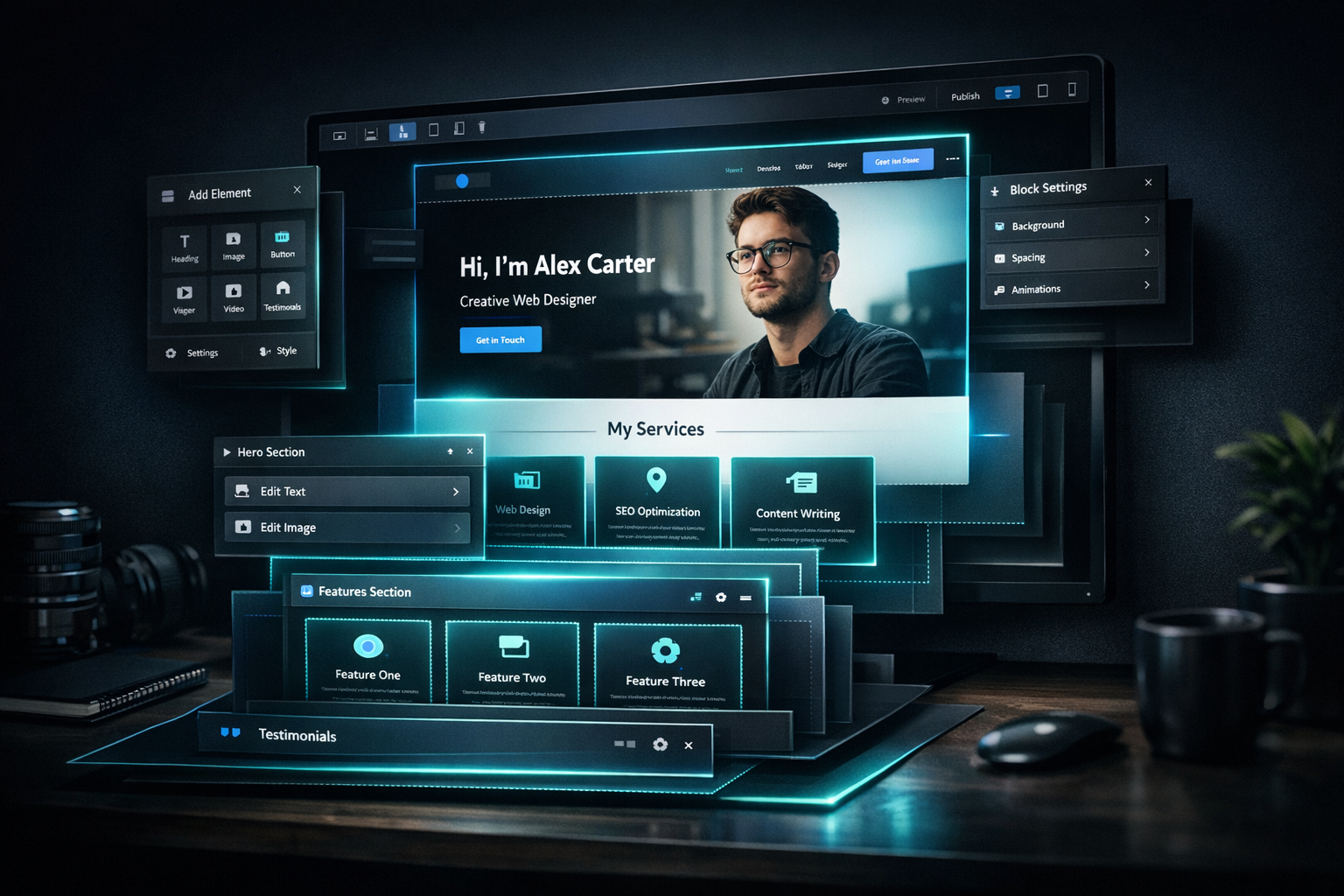
Freelancers and solopreneurs face a real constraint: You need a professional website to signal credibility and capture clients, but you can’t afford Webflow’s $20+/mo baseline, and WordPress means maintenance overhead you don’t have time for. You’re looking for a no-code website builder for creators that lives in the middle — something that gets you live fast, costs less, and doesn’t require design or coding skills. Dorik fills that gap.
Key Takeaways
- No-code website builder for creators: Dorik combines AI-assisted design templates, drag-and-drop editing, and a low monthly cost ($10.38–$20.75/mo on a 2-year plan for Personal/Business tiers) to compete directly with Webflow’s $20+/mo baseline.
- What it does: Build portfolios, landing pages, and simple online stores without coding or design skills. AI suggests layouts and copy; you customize with a visual editor.
- Where it fits: Freelancers and solopreneurs who need their site up in hours, not weeks, and want to avoid WordPress complexity or Webflow’s learning curve and cost.
- What it doesn’t: Deep customization on the scale of Webflow, complex e-commerce on par with Shopify, or the extensibility of self-hosted WordPress.
Why Creators Actually Need a Website (Beyond Social Media)
The conventional advice says “just use Instagram and LinkedIn.” That works until it doesn’t. A platform algorithm changes, a host-enforced policy shifts, or a client’s procurement team asks where to send a contract. A website is your own plot of land. It proves you have a physical (or digital) place of business, it keeps your contact information and work samples in one place, and it signals professionalism that a Linktree cannot.
For freelancers, a portfolio site that loads in two seconds sends a message: “I understand user experience.” For course creators, a landing page with your face, your offer, and a working email capture matters more than your follower count. And for solopreneurs testing a side product, a simple store page can validate demand before you commit to Shopify or WooCommerce.
You don’t need anything fancy. You need it to exist, to load fast, and to look intentional. That’s the bar.
No-Code Website Builder for Creators: Webflow vs WordPress vs Squarespace vs Dorik
Not all no-code website builders are the same. Here’s where they actually differ:
| Factor | Webflow | WordPress | Squarespace | Dorik |
|---|---|---|---|---|
| Starting Price | $20+/mo | Free (self-hosted + hosting costs) | $16+/mo | $10.38/mo (2-year plan) |
| Learning Curve | Steep (CSS knowledge helps) | Moderate to steep (plugins, themes) | Shallow (template-based) | Very shallow (AI templates) |
| Design Flexibility | Highest (pixel-level control) | Very high (with coding) | Medium (template-bound) | Medium (templates + customization) |
| AI Assist | Limited | None (via plugins) | None | Strong (design and copy suggestions) |
| Best For | Agencies, custom brands, pixel-perfect control | Blogs, extensibility, self-hosting | e-commerce, portfolios, creators | Freelancers, solopreneurs, quick launches |
The decision tree is simple: If you need pixel-perfect control and have the budget, Webflow wins. If you need extensibility and don’t mind maintenance, WordPress is the play. If you want templates with e-commerce, Squarespace works. If you want to be live in hours at the lowest cost, Dorik is the answer.
How Dorik’s AI Helps Non-Technical Builders
The core tension in no-code builders is this: They claim to be “no code,” but they still require design instincts. Where do your logo go? How do you choose colors that don’t look amateurish? What copy goes above the fold?
Dorik’s approach is to answer those questions for you upfront. When you start a project, Dorik asks what you’re building (portfolio, landing page, store). It then suggests layouts, color schemes, and even opening copy. You don’t start with a blank canvas — you start with a draft that’s already 70% of the way there.
Here’s what the AI piece actually does:
- Template suggestions: Answer a few questions about your business, and Dorik proposes a layout. This alone saves hours of staring at a blank page.
- Copy assist: The AI can generate headline and body text based on what you tell it. You edit from there rather than writing from nothing.
- Color pairing: It chooses complementary colors that don’t look amateurish. You can override, but the defaults are solid.
- Mobile optimization: The builder handles responsive design. Your site looks correct on phones without you touching media queries.
What it doesn’t do: It won’t replace a brand strategist or copywriter. You still need to know who you’re talking to and what you’re selling. But for the mechanical part — the layout, the code, the responsiveness — Dorik removes the guesswork.
Setting Up Your First Site With Dorik: Portfolio vs Landing Page vs Simple Store
The setup workflow is nearly identical across project types. What changes is what you put on each page.
Portfolio (Freelancer or Designer)
Start by choosing “Portfolio” as your project type. Dorik scaffolds a homepage, an about page, and a work samples page. You upload images, add project descriptions, and configure a contact form. The builder auto-displays images at correct aspect ratios. Add an internal link to your client management systems if you have other solopreneur infrastructure, and you’re showing the full picture.
Setup time: 2–3 hours if you’re sourcing images and writing descriptions. Dorik’s AI can draft the about-page copy, which cuts that in half.
Landing Page (Course Creator or Product Launcher)
Choose “Landing Page.” Dorik gives you a hero section (headline, subheading, image, CTA button), a benefits section (usually three columns), testimonials, FAQ, and a footer. You populate each section with your offer details, benefits, and objection-handling. The AI can draft the benefits copy if you give it your product promise.
Setup time: 1–2 hours. This is the fastest path from idea to live.
Simple Store (Digital or Physical Products)
Choose “Store.” Dorik scaffolds product pages with images, pricing, descriptions, and a checkout. You configure your payment processor (Stripe, PayPal) directly in the builder. No Shopify subscription needed. For single-product or low-SKU sellers, this is enough.
Setup time: 1.5–2 hours, including payment setup.
All three types are live in the time it takes to grab coffee. You can iterate later. Ready to start? Try Dorik free with no credit card required.
Real-World Examples: Freelancer Portfolio, Course Landing Page, and Digital Product Page
Example 1: Freelancer Portfolio
Sarah is a copywriter looking to move from Upwork to landing her own clients. She builds a Dorik portfolio with four case studies (client names anonymized, results shown). Her homepage has a hero section: “Copywriting for early-stage SaaS teams.” The about page explains her approach. The portfolio page links to each case study with metrics (emails written, open rates, conversions implied). Total time: 2.5 hours. Cost: $10.38/mo on the Personal plan. She starts getting inbound inquiries within two weeks because the site ranks for “freelance copywriter” and looks professional enough to be taken seriously.
Example 2: Course Landing Page
Marcus is selling an online course on email automation. He builds a Dorik landing page with one job: convert visitors into email captures. His hero promises: “Email Sequences That Convert: Get My 5-Step System.” Below that, he lists three benefits, adds a testimonial from a beta customer, answers five FAQs, and a final CTA button that triggers an email capture. The entire page is one long scroll designed to answer objections as readers move down. Time: 1.5 hours. Cost: $10.38/mo. His email list grows 20% per week because his landing page actually converts.
Example 3: Digital Product Page
Jade is launching a bundle of Notion templates for freelancers. She uses Dorik’s store feature to display three products (each template bundle), with pricing, a preview image, and a checkout. No middleman. Customers buy directly; Stripe deposits funds the next day. Time: 1 hour. Cost: $10.38/mo. She validates product-market fit in a week and doesn’t pay Gumroad, Etsy, or Shopify fees.
Each example did one thing: got a site live fast at minimal cost, then optimized from there. That’s the Dorik use case.
Integration With Your Existing Tools: Email, Payment, and Analytics
Dorik isn’t an island. It integrates with the tools you’re already using:
- Email capture: Connect to Mailchimp, Beehiiv, ConvertKit, or Zapier. Forms on your Dorik site automatically add subscribers to your list.
- Payment processing: Stripe and PayPal are built in. Configure once, sell forever. No payment-platform fees beyond what Stripe takes.
- Analytics: Dorik has basic analytics built in (page views, click-through rates). Connect Google Analytics for deeper data. If you’re running Facebook or Instagram ads to your Dorik site, you’ll want Google Analytics to track conversion funnels.
- Forms and workflows: Use Zapier or Make to trigger downstream actions. Example: a form submission on your Dorik portfolio creates a contact in your CRM.
The integration model is clean: Dorik is the front door, and everything else plugs in via webhooks or API. You’re not locked in.
What Dorik Actually Costs (And When It Makes Sense)
Dorik’s 2-year prepaid plan costs $10.38–$20.75/mo for Personal and Business tiers, respectively. Agency pricing is custom. If you’re comparing to Webflow’s $20+/mo, Dorik’s Personal tier is roughly 50% cheaper. The Business tier sits at price parity with Webflow but adds more custom domains (3 vs 1 on Personal), 10 collaborators (vs 0 on Personal), and unlimited blog posts (vs 200 limit on Personal).
Monthly billing is available if you need flexibility, but it costs more per month. If you know you’ll keep the site live, the 2-year plan is the obvious value move.
When it makes sense: You have a budget of under $25/mo and need to move fast. When it doesn’t: You need pixel-perfect design control (Webflow), deep e-commerce (Shopify), or extreme customization (self-hosted WordPress). Dorik sacrifices flexibility for speed and cost.
The Limitations (What Dorik Doesn’t Do)
Honesty first: Dorik is not Webflow. Here’s what you’re trading away:
- Pixel-perfect customization: You’re working within template constraints. You can’t inspect the CSS and change every margin manually.
- Complex e-commerce: If you need inventory management, subscriptions, or deep product variants, Shopify or WooCommerce are better choices.
- Extensibility: You can’t add custom code to the backend. No plugins, no custom functionality beyond what Dorik provides.
- Advanced SEO: Dorik has basic on-page SEO (meta tags, sitemaps, structured data). If you need advanced canonicals, hreflang for multiple languages, or custom schema, you’ll need workarounds or another platform.
- Membership sites: Dorik isn’t built for gated content or subscription management. If you’re building a membership community, look elsewhere.
None of these are failures — they’re design choices. Dorik chose simplicity and speed over power. That’s intentional.
The One Thing People Miss: You Still Need Traffic
A common misconception: Build the site and people will come. That’s not how it works. Your Dorik portfolio is live, but it doesn’t rank in Google until people link to it and Google sees it gets visited. Your landing page is beautiful, but it won’t convert until you drive qualified traffic to it.
Dorik is the tool that makes it easy to exist. Traffic requires a different plan: SEO, paid ads, email, or referral networks. If you’re wondering how to drive traffic to your site, check out my guide to building a funnel stack — it covers the full picture from site to sales.
Dorik vs Building With AI and Custom Code
One other option exists: Pay a developer to build you a custom site using code and an LLM. Costs vary wildly ($1k–$5k+), and you’re dependent on that developer for updates. With Dorik, you own the editing process — you can change copy, images, and layouts yourself, forever, without code knowledge. For a solopreneur, that autonomy is worth far more than pixel-perfect initial design.
Should You Actually Use Dorik?
Use Dorik if all of these are true:
- You need a website (portfolio, landing page, or store) in the next few days.
- You don’t have design or code skills, and you don’t want to learn.
- Your budget is under $25/mo for this tool.
- You’re willing to work within template boundaries.
- You don’t need pixel-perfect customization or enterprise e-commerce.
Skip Dorik if you need:
- Pixel-perfect design control (use Webflow).
- Deep e-commerce with inventory management (use Shopify).
- Extreme flexibility and self-hosting (use WordPress).
- A membership or gated-content site (use Circle, Mighty Networks, or Memberpress).
For everyone else — freelancers, solopreneurs, course creators, side-project launchers — Dorik is the fastest, cheapest path to a professional web presence that you actually control. Get started with Dorik today.
My Take
The real constraint for solopreneurs isn’t finding a website builder — it’s the false choice between “cheap and limited” and “expensive and complex.” Dorik doesn’t pretend to be everything; it solves one actual problem: a working site in hours without learning code. That combination is rare. The design limitations are real (it’s not Webflow), but the time savings and cost advantage are bigger.
If you’re a freelancer or solopreneur who needs to launch fast and doesn’t want overhead, Dorik is worth the test.
About the author: Chris Myers builds digital systems for solopreneurs and tests every tool in his own stack before recommending it. He writes at Piscion Global.
Try Dorik for Yourself
If you want to try Dorik, I’ve linked my affiliate below. The price is the same to you either way — using my link just helps support the work here. Either way, now you know what it does and when to use it.
Affiliate disclosure: I do get a commission if you sign up through my link. This helps support ongoing content at Piscion Global.
Last updated: October 16, 2026 — This post reflects Dorik’s features and pricing as of the publication date. Pricing and features may change; check their site for current offerings.