
The Complete Freelance Toolkit: What Every Solo Professional Needs in One Place
If you need a complete freelance toolkit, start with a system that covers pricing, proposals, onboarding, and follow-up.
Last updated: 2026-08-10
The complete freelance toolkit is the fastest way to stop cobbling together ten separate files, apps, and templates just to run one solo business. I built it for the same reason I built Freelance Business in a Box: most freelancers do not need more ideas, they need a system they can actually use. This is the kind of thing that belongs in the Builder Vault: templates and playbooks that save time.
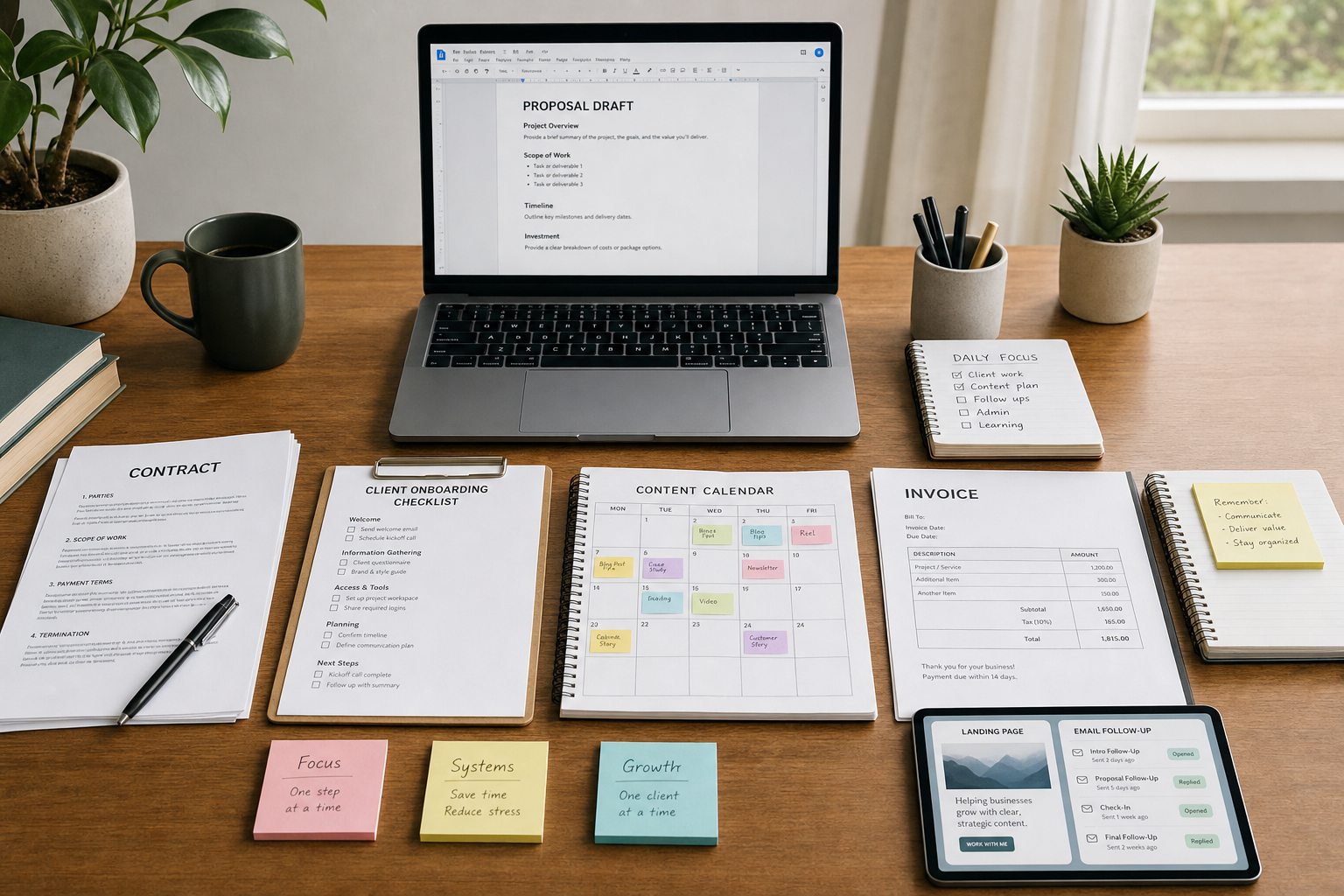
If you are trying to price work, send proposals, onboard clients, stay visible, and keep follow-up from slipping through the cracks, a scattered stack gets old fast. The better move is one place that holds the core pieces and shows you how they connect.
That is the difference between a stack you own and a stack that owns your week.
- Use one toolkit for pricing, proposals, contracts, communication, content, and first-sale setup.
- Keep your freelance workflow in one place instead of four tools and three half-finished docs.
- Pair the toolkit with Systeme.io Quickstart if you want simple landing pages and email follow-up.
- Start lean, then add only what the business actually needs.
Quick answer:
- What tools freelancers actually need to get started.
- What the complete freelance toolkit includes.
- How to organize your freelance business.
- What templates every freelancer should have.
- How much it costs to start freelancing.
What tools do freelancers need to get started?
Freelancers need a small set of tools that cover the money side, the client side, and the delivery side. The complete freelance toolkit is built around that reality. It gives you the pieces that keep a solo business moving without forcing you to build the whole stack from scratch.
| Need | What it covers | Why it matters |
|---|---|---|
| Pricing | Calculator and offer framing | Keeps you from guessing |
| Sales | Proposal templates and launch guide | Helps you ask clearly |
| Client delivery | Onboarding system and communication scripts | Stops chaos after the sale |
| Consistency | Content planner and AI prompts | Helps you stay visible |
| Follow-up | Funnel/email companion via Systeme.io | Keeps leads from going cold |
That is the part a lot of freelance starter advice misses. It tells you to “just start” without saying what to start with. I have seen enough solo businesses stall because the pricing lives in one doc, the proposal lives in another, and the follow-up lives in Gmail.
If you want a cleaner operating layer, the tools hub gives you the broader stack context. But if you want the freelance-specific system, this toolkit is the tighter fit.
What does the complete freelance toolkit include?
The complete freelance toolkit bundles four products into one download. That is the whole point: one price, one place, one system. The current bundle is priced at $49 and the pieces inside add up to $75 if you buy them separately.
| Included piece | Value | What it does |
|---|---|---|
| Freelance Business in a Box | $39 | 26-page operating system with pricing calculator, 3 proposal templates, onboarding system, 10 communication scripts, 15 contract clauses, financial tracking, tax prep, and a growth playbook |
| Client Communication Templates Pack | $7 | 25 copy-paste email/message templates for freelance scenarios |
| Weekly Content Planner + AI Prompt Pack | $9 | 4-week themed content calendar plus 50 prompts organized by platform |
| The $0 to First Sale Toolkit | Free, included | 14-page launch guide with 15 product ideas, validation test, weekend build guide, product page copy formula, and 7-day launch playbook |
All four pieces use bracket placeholders, which is the right move. You are not staring at a blank page. You are filling in the parts that are specific to your business and moving on.
I built the bundle this way because freelancers do not usually fail from lack of knowledge. They fail because they have to switch between too many docs to get one job done. I wanted one set that closes that gap.
If you want the companion layer for landing pages, forms, and email follow-up, I keep coming back to Systeme.io Quickstart. That is the cleanest way to connect the toolkit to an actual funnel.
How do I organize my freelance business?
Organize a freelance business by putting the same steps in the same order every time. That sounds basic because it is. The complete freelance toolkit works when it becomes the sequence you use from first contact to final delivery.
- Price the work. Use the pricing calculator or your own numbers before you send a number to a prospect.
- Send the proposal. Pull from the proposal templates instead of rewriting the same pitch every time.
- Onboard the client. Use the onboarding system so the handoff does not turn into a messy email chain.
- Communicate clearly. Use the message templates when you need to follow up, nudge, or answer a common question.
- Stay visible. Use the content planner so you are not silent between projects.
- Launch or relaunch when needed. Use the $0 to First Sale Toolkit when you need a simple offer path.
That is the working rhythm. It keeps your freelance business organized without turning it into a full-time admin job. I like systems that reduce decision fatigue, and this one does that better than a pile of random PDFs.
For the money side, I would still keep a separate view on income and expenses. The toolkit handles the workflow; a simple cash flow system keeps you honest about what the work is actually doing.
If you want another model for keeping one lane clean, the Personal Cash Flow System shows the same principle: one place, one number, one review.
What templates should every freelancer have?
Every freelancer should have templates for the parts that repeat. That is where time goes. The complete freelance toolkit is strong because it covers the boring but important stuff you reuse every week.
Here is the minimum set I would not want to build from scratch again:
- Proposal templates. You need a way to respond fast without sounding generic.
- Contract clauses. You need the basics covered before work starts.
- Onboarding messages. You need a clean handoff after the sale.
- Client communication templates. You need follow-up, scope, and status messages ready.
- Content calendar. You need a repeatable way to stay visible.
- First-sale launch guide. You need a path for the first offer, not just the theory.
That list is basically the toolkit in plain English. The value is not that it is pretty. The value is that it cuts the time between “I need to do this” and “done.”
I also keep Client Communication Templates for Freelancers as a separate read because that is the part most people feel immediately. If your inbox is the bottleneck, templates pay for themselves fast.
And if the content side is the bottleneck, Weekly Content Planner + AI Prompts gives you the structure for staying visible without inventing new topics every Sunday night.
How much does it cost to start freelancing?
How much it costs to start freelancing depends on how much you try to buy before you have a workflow. The lean answer is: not much. The smarter answer is: less than the cost of a pile of disconnected tools that never get used.
| Option | Cost | What you get |
|---|---|---|
| Complete Freelance Toolkit | $49 | Four bundled toolkits that cover the core freelance workflow |
| Systeme.io free start | $0 to start | Simple pages, email, and follow-up in one place |
| Added paid stack only when needed | Variable | Extra automation or tools after the workflow is proven |
The toolkit saves $26 versus buying the included pieces separately. That is not a huge marketing trick. It is just a cleaner way to buy the stack you will actually use.
If you want to see what the companion layer looks like, the official Systeme.io pricing page is the place to check for current plan details. That matters because your freelance stack should not force you into a bunch of software costs before you have any revenue.
My take is simple: start with the toolkit, pair it with Systeme.io if you need pages and email, and do not add more until the business asks for it.
How the toolkit and Systeme.io fit together
The complete freelance toolkit handles the workflow. Systeme.io handles the front door. That is the clean split.
| Job | Toolkit | Systeme.io |
|---|---|---|
| Proposal and onboarding | Yes | No |
| Client communication | Yes | No |
| Content planning | Yes | No |
| Landing pages | No | Yes |
| Email follow-up | Light support | Yes |
| Simple automation | Workflow support | Yes |
That split keeps the stack honest. The toolkit is not trying to be a website builder. Systeme.io is not trying to be a proposal system. Together they cover the parts freelancers keep duct-taping together.
I built and recommend the bundle because I want freelancers to stop living in tool soup. If you are trying to run a one-person business, the win is not more software. It is fewer places for work to fall through the cracks.
About the author: Chris Myers builds AI-powered business systems and tests every tool in his own solopreneur stack before recommending it. He writes at Piscion Global.
If you want the toolkit, get The Complete Freelance Toolkit. If you want the funnel/email companion, use my Systeme.io link. The price is the same to you either way — I just get a commission if you use mine.
That is the whole point of a complete freelance toolkit: one place for the work, one place for the follow-up, and no extra nonsense.
Pingback: Verdent AI Review 2026: AI Writing That Doesn't Sound Like AI
Pingback: Freelance Business in a Box: Complete Solo Toolkit
Pingback: Dorik Website Builder: No-Code Sites for Creators Without the Webflow Price Tag