
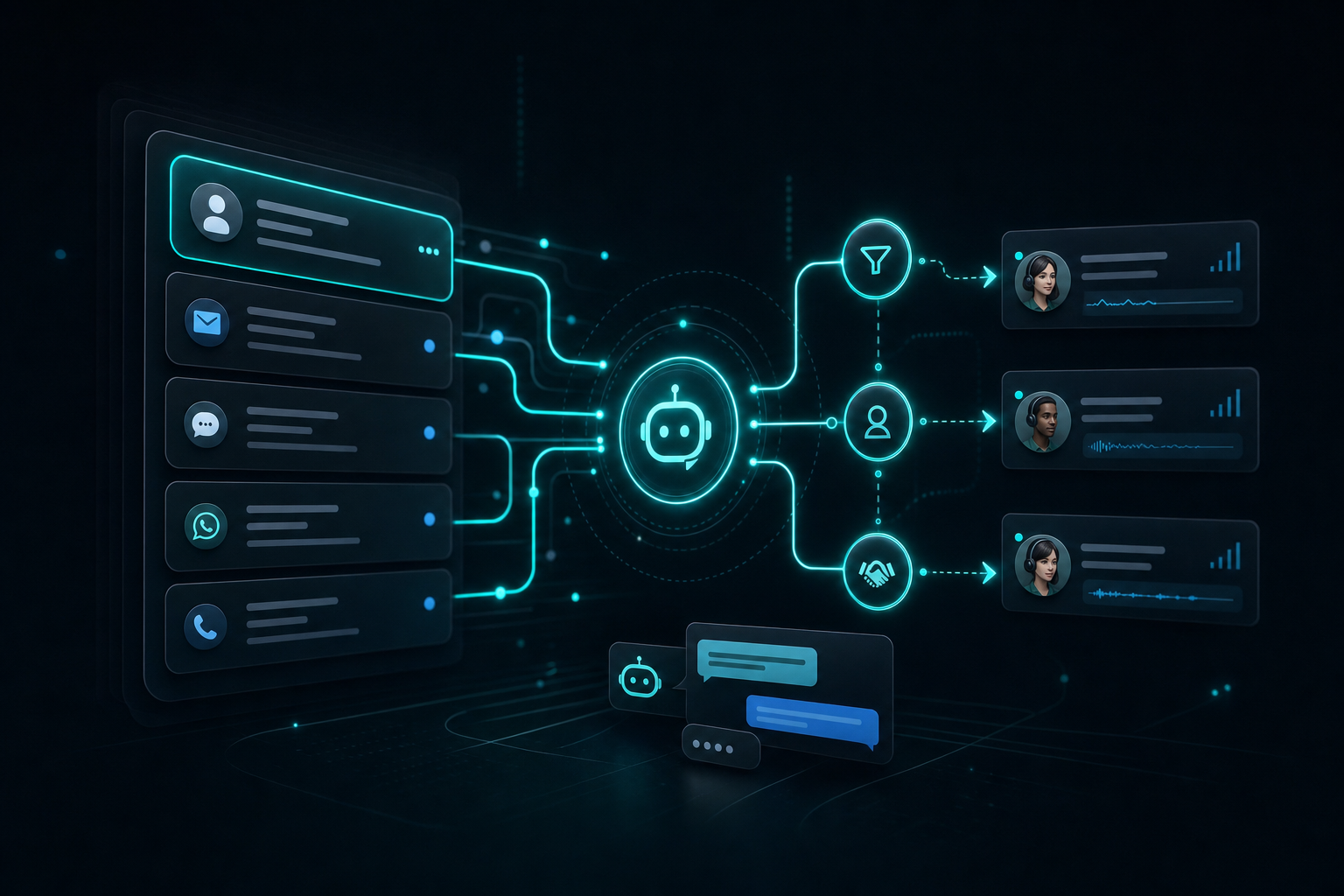
An AI agent for customer support is best used as a first-pass responder that sorts tickets, answers repeat questions from your docs, and hands off the rest to a human. That is the part most teams actually need. They do not need a fancy chatbot. They need fewer interruptions, faster replies, and a way to keep the same three questions from chewing up the day.
I have seen this same pattern show up in my own AI agent work: the win is not replacing judgment, it is removing the repetitive work that sits in front of judgment. If you want the broader build pattern, I covered that in How to Build an AI Agent (Without Overengineering It), and the same logic applies here.
Key Takeaways
– Use an AI agent for support when the same questions keep coming back.
– Make it answer from your docs first, then escalate anything messy.
– Do not use it as a shortcut for poor policies or weak documentation.
– A chatbot answers; an agent takes a small action and routes the rest.
– For a lean team, the ROI is time saved, not some abstract automation score.
What does an AI agent for customer support actually do?
An AI agent for customer support is software that can read a request, decide what kind of request it is, pull the right information, and either answer it or pass it along. That is the difference between a script that spits out canned replies and a system that can make a small decision inside a defined lane.
For support work, that usually means four things:
- Triage — It tags the issue as billing, login, shipping, refund, bug, or account change.
- Retrieval — It looks up the answer in your help docs, policy pages, or internal notes.
- Drafting — It writes a reply in plain language that a human can approve or send.
- Escalation — It sends anything sensitive, vague, or high-stakes to a person.
That matters because most support load is not unique. It is repetitive. If 60% of your inbox is the same six issues, an AI agent can clear the first pass before a human ever opens the thread.
This is also where people get tripped up. They buy a chatbot and expect a support system. Those are not the same thing. A chatbot can answer a question. An agent can answer, classify, hand off, and sometimes trigger a next step. That is why the term matters.
If you need a clean reference point for how agent behavior is built, the official OpenAI guide on function calling is a good starting point. The important part is not the model brand. It is the control layer.
Where it actually saves time
The best case for an AI agent for customer support is not “full automation.” It is removing the small, constant drag that slows a lean team down.
The first place it saves time is ticket sorting. If every incoming message lands in a shared inbox, somebody still has to read it, decide what it is, and figure out who should handle it. An agent can do that first pass instantly. That alone keeps urgent stuff from getting buried under routine requests.
The second place is repeat answers. Every business has them. How do I reset my password? Where is my invoice? Can I change my shipping address? What does this plan include? Those are not deep conversations. They are lookup tasks. Let the agent answer those with approved language and keep the team out of the loop unless the customer pushes back.
The third place is knowledge retrieval. Most support teams do not lack AI. They lack organized answers. If the policy lives in a doc, the FAQ lives somewhere else, and the human version lives in Slack, the agent is only as good as the source it can reach. A good support agent makes the right answer easier to surface.
The fourth place is handoff. This is where the system gets real. A support agent should know when to stop. If the customer is angry, confused about billing, asking for a refund outside the policy, or dealing with account access, the right move is not more AI text. The right move is a human with context already attached.
That is the version I would build first for a small team. Not a giant help desk replacement. A triage layer that gets the obvious stuff off the table.
What does it not solve?
An AI agent does not fix bad support. It only exposes it faster.
If your policies are messy, the agent will surface that mess in your replies. If your docs are outdated, it will confidently repeat the wrong thing. If your team has no clear rules for refunds, exceptions, or escalation, the agent will push those decisions back to a human anyway. That is fine. That is the point. But it means the bottleneck is not always the tool.
It also does not replace judgment. Some requests are simple on the surface and risky underneath. A customer may ask for a small billing change that actually affects the account structure. Another may sound routine but hint at churn, fraud, or legal exposure. A support agent should not be making those calls alone.
This is why I would not use one if the business is still early and the support volume is tiny. If you get a few tickets a week, a shared inbox, canned replies, and a good FAQ page may be enough. The agent adds more value when the same work is showing up every day.
If you are trying to build the bigger operating system around that work, I covered the core pieces in What a Small Business Actually Needs From an AI Agent System (5 Things). Support is one lane in that system, not the whole system.
Is an AI agent better than a chatbot?
Sometimes yes. Sometimes no. The difference is in the job.
A chatbot is fine when the goal is to answer a simple question from a fixed set of answers. That works for basic FAQ use cases. It is also the cheaper, simpler option when you just need a front door on the site.
An agent is better when the support request needs a little more intelligence than a static script. If it has to check the category, look up the right policy, draft a reply, and decide whether to hand off, then a chatbot starts to break down. It is not built to do the whole sequence.
Here is the line I use:
- Use a chatbot if you need a front-end question box.
- Use an AI agent if you need the system to do the first pass of support work.
That is why the word “agent” matters. It implies action inside boundaries, not just conversation. For a small team, that action is where the time savings come from.
How I would set this up for a lean team
I would keep the first version boring on purpose.
Start with one channel, usually email or a help desk queue. Do not spread it across chat, SMS, and social on day one. One lane is enough to prove whether it actually helps.
Then give it a narrow job:
- Read the incoming message.
- Classify the issue.
- Pull an answer from one approved knowledge source.
- Draft a reply.
- Escalate anything outside the policy.
That is it. No free-form action taking. No direct account changes. No refund processing. No pretending the model is the business owner.
The other piece is the handoff rule. If the customer is upset, the issue is financial, or the answer is not in the docs, the agent should stop. That stop rule is what keeps the system useful instead of dangerous.
This is the same kind of setup I map in the AI Agent Build Blueprint. If you are trying to build a support workflow that does less manual sorting without creating a new mess, that blueprint is the faster way to think about the whole stack.
I would also keep the knowledge base small at first. Better five clean support articles than fifty scattered ones. The quality of the answer source matters more than the model choice.
What about pricing and ROI?
The ROI on an AI agent for customer support is mostly time and consistency.
If it saves one person from spending an hour a day on repetitive tickets, that adds up fast. On a small team, that can be the difference between support feeling manageable and support becoming the thing nobody wants to open in the morning.
But I would not sell it as a universal upgrade.
It makes sense when:
– the same questions repeat every day,
– the team already has decent docs,
– and human escalation still matters.
It does not make sense when:
– there are only a handful of tickets a week,
– the policies are still changing every day,
– or the business needs a real support desk before it needs an agent.
That is the honest version. The tool is useful when support has become repetitive enough to automate the first pass, but not so complex that every case needs a human from the start.
The part that makes me keep it
The thing that makes an AI agent for customer support worth considering is not that it sounds advanced. It is that it makes a small team feel less fragile. An AI agent for customer support should reduce the first-pass load, not add another layer of work.
When support lands entirely on one person, every interruption becomes expensive. When the same question shows up ten times a day, the team wastes attention on work that should be mechanical. An agent takes that pressure down without forcing you to hire too early.
That is why I like this category. It is practical. It is not about replacing people. It is about keeping the people you have focused on the parts that need judgment.
If you want the broader architecture behind this kind of system, I would read AI Agents Inside Claude vs Autonomous Agents: Why the Architecture Matters next. That is where the control layer starts to matter.
For the build itself, the next step is the AI Agent Build Blueprint. That is the piece I would use if I were setting this up from scratch and wanted the workflow before the hype.
About the author: Chris Myers builds AI-powered business systems and tests every tool in his own solopreneur stack before recommending it. He writes at Piscion Global.
If you want to try the system version, AI Agent Build Blueprint is the next step.
I earn a commission if you use my link, and the price is the same either way.
Pingback: Why the Codex CLI OpenClaw Conflict Took Down My AI Agent System (And How to Isolate It)
Pingback: How to Create an AI Agent with CustomGPT